The principal gave me a task: create an inventory of the school’s unused computers.
There are more than 30+ computers currently not being used by students or staff. Some are stored in classrooms and other in storage rooms. Yet, Most of them follow a similar hardware profile:
Processor (CPU): Intel Core i3 / i5 or AMD Ryzen 3 / 5 equivalent
Memory (RAM): 8 GB or 16 GB DDR4
Storage: 256 GB or 512 GB SSD
Display: 14-inch or 15.6-inch Full HD screen
Operating System: Windows 11 Pro Academic or ChromeOS
Other features: webcam, microphone, Wi-Fi and Bluetooth
The school wanted to know exactly what it owns, where each device is located, what condition it is in and if it could be used
Starting the inventory
I started by creating a standardized register based on the principles of IT asset management.
For every computer, I recorded information such as:
| Field | Example |
|---|---|
| Asset ID | IT-LAP-0001 |
| Category | Laptop |
| Manufacturer | Dell |
| Model | Latitude 5450 |
| Serial number | ABC12345 |
| Purchase date | 2026-01-15 |
| Supplier | Supplier name |
| Purchase reference | PO-2026-001 |
| Cost | €950 |
| Warranty expiry | 2029-01-15 |
| Assigned user | Employee/student ID |
| Department | IT |
| Location | Building A / Room 203 |
| Status | In use |
| Condition | Good |
| Last inventory check | 2026-08-20 |
| Disposal date | — |
| Disposal reference | — |
If one laptop was recorded as "Room 203," another as "second floor," and another as "computer classroom," the information would eventually become difficult to compare.
So I used the same naming system for every characteristic.
Physically checking the devices
For each one, I checked the manufacturer, model and serial number printed on the case. I compared that information with what was already known and assigned an internal asset number. The asset number works like a school ID card for a computer.
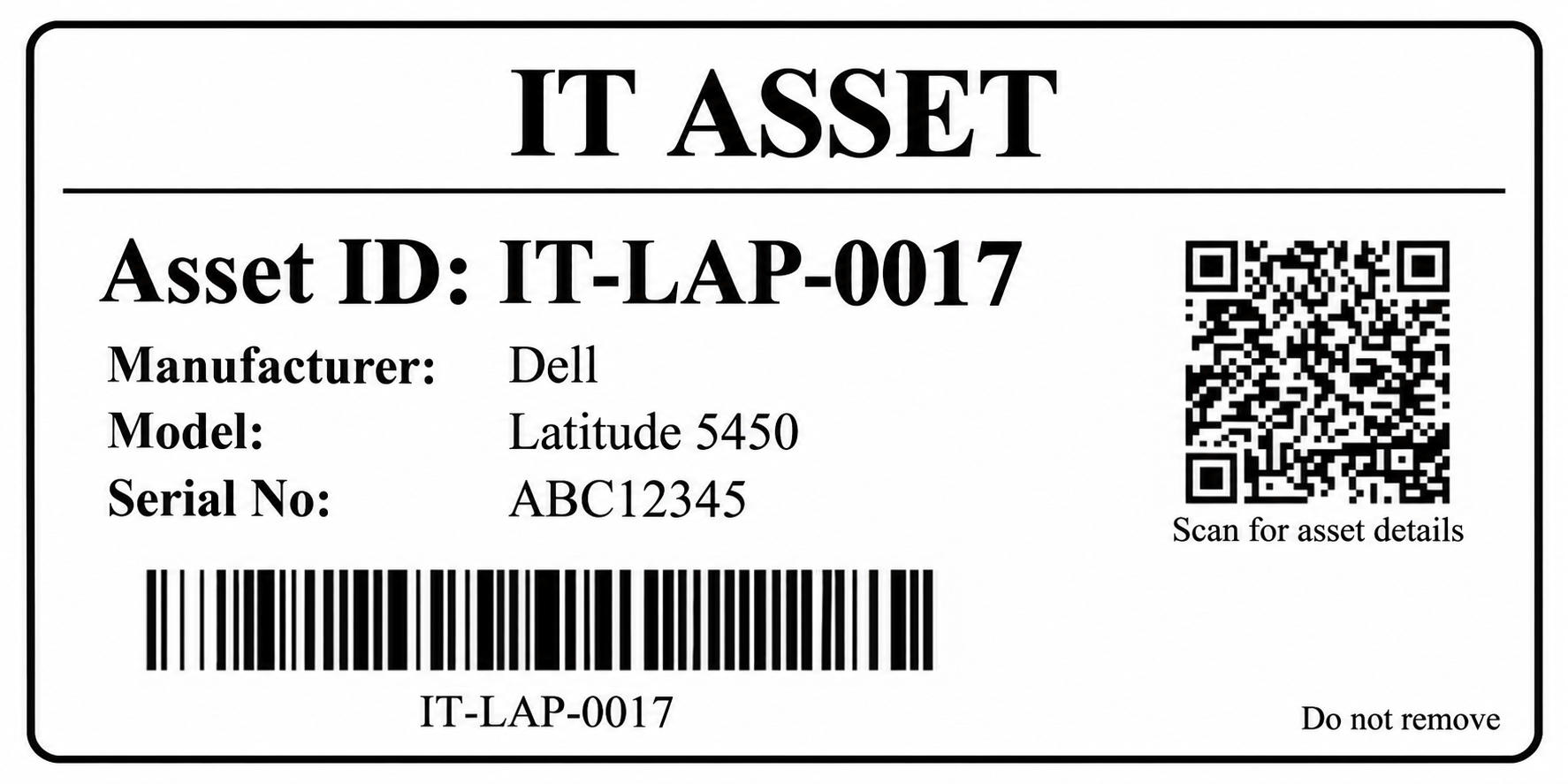
A serial number belongs to the manufacturer, while an asset number belongs to the school.
For example, instead of referring to "the Dell laptop in the storage room," staff can refer to IT-LAP-0017. That makes repairs and future checks much easier. I also inspected the physical condition of each device.
Some computers were immediately usable. Others had small problems such as missing chargers, worn batteries or cosmetic damage. A few needed further testing before they could be considered suitable for use again.
I classified them using simple statuses such as:
Ready for use, Needs testing, Needs repair, In storage, Assigned, or Retired.
Why this matters
Before doing this task, inventory management seemed mostly administrative.
After working through the devices, I started seeing it more as a security and operational issue.
If an organization does not know which computers it owns, it also cannot confidently say where those computers are, who is responsible for them, whether they still contain school data, or whether something has disappeared.
From a cybersecurity perspective, an unknown device is a mistake or even a blind spot.
From the principal's perspective, it is also a financial problem. There is little reason to purchase another computer if there are already suitable machines sitting unused in storage.
The process going forward
The school is now going through the process of turning the inventory into a maintained system rather than a spreadsheet.
Every important change should be reflected in the inventory.
If a computer moves to another classroom, the location changes.
If it is given to a teacher, the responsible user changes.
If it breaks, its condition changes.
If it is permanently removed from service, the record remains, but its status becomes retired or disposed.
The biggest lesson from today was that good inventory management is not really about knowing how many computers are in a building.
It is about being able to answer five simple questions about every device:
What is it? Where is it? Who is responsible for it? What condition is it in? And what should happen to it next? (5 Ws)
Comments (0)
no comments yet.